
Download All My Books – book database, personal library, organize books, book catalog, index cards, book collection, library management, book tracker, book organizer, book inventory
Overview
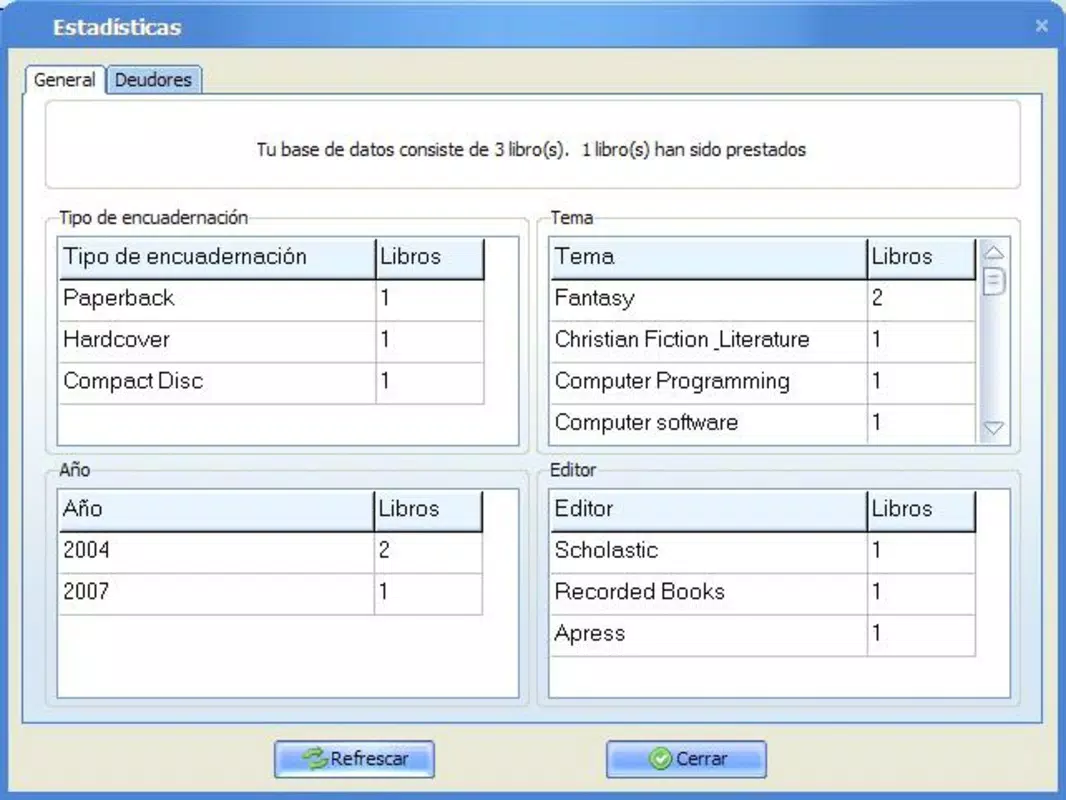
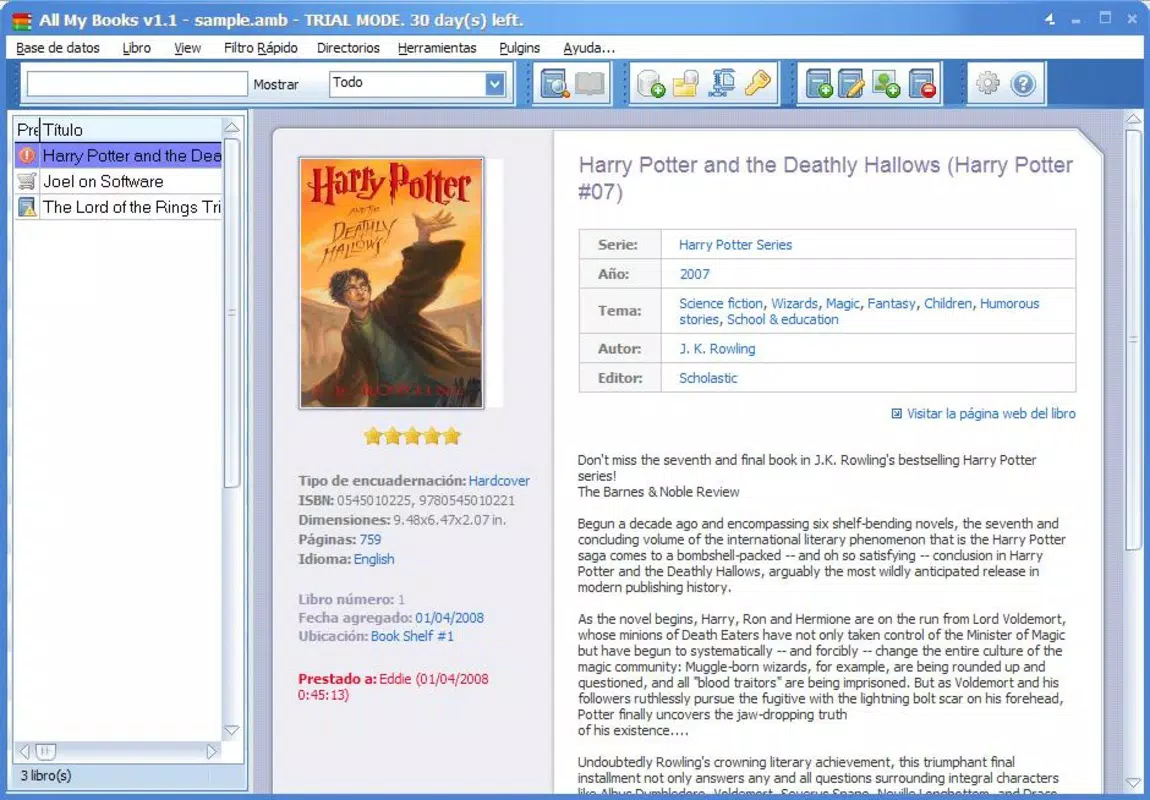
All My Books is a dedicated mobile application designed to help users efficiently manage and organize their personal book collections. Built with simplicity and functionality in mind, the app serves as a digital book database that enables users to catalog their physical or digital libraries with ease. Its primary purpose is to streamline the process of tracking books by providing a structured system for storing essential details such as title, author, genre, and more. This makes it ideal for avid readers, collectors, students, and educators who maintain large or diverse reading libraries.
The app solves common challenges associated with disorganized book collections, such as difficulty locating specific titles, losing track of reading progress, or failing to maintain accurate records. By offering a centralized digital space, All My Books reduces the clutter and inefficiency often linked with manual tracking methods. Real-world use cases include tracking books read for academic research, managing a home library, or maintaining a personal reading list for long-term goals.
Although the developer did not provide additional technical details, the app’s focus on usability and data management suggests a targeted approach to productivity. Its role in the mobile app ecosystem lies in filling a niche for lightweight, specialized tools that enhance personal organization without overwhelming users with complexity. The release date of May 8, 2024, indicates a recent entry into the market, aligning with growing demand for digital library solutions.
Key Features & Functionality
- Easy Organization: Users can categorize their books into custom groups, allowing for flexible sorting based on genre, reading status, or personal preference. This supports efficient browsing and retrieval of specific titles.
- User-Friendly Interface: The app features a clean, intuitive layout with streamlined navigation. Key actions like adding a new book or searching through the library are accessible from the main screen, reducing the learning curve for new users.
- Versatile Export Options: All My Books supports exporting data in multiple formats, including HTML, Excel, and plain text. This enables users to share their catalog with others, integrate it into other tools, or preserve their records across devices.
- Backup Functionality: The app includes a built-in backup system that allows users to save their entire database to external storage. This safeguards against accidental data loss and ensures continuity across device changes or system updates.
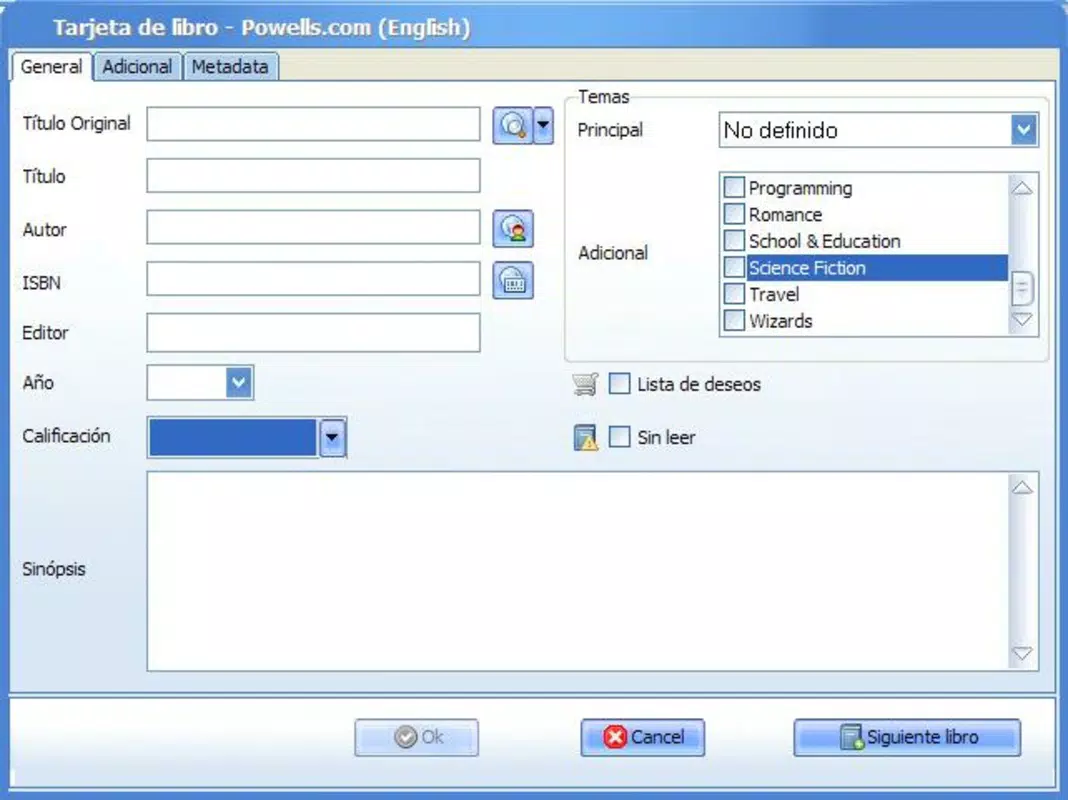
- Customizable Index Cards: Each book entry can be expanded with detailed notes, such as a synopsis, personal rating, or reading notes. This feature transforms the app from a simple tracker into a personalized library companion.
For example, a student might use the app to organize research materials by topic and add summaries to each entry. A book collector could assign custom tags for rare editions or condition status. These practical applications demonstrate how the app adapts to diverse user needs while maintaining core functionality.
Interface, UX & Performance
The user interface of All My Books is designed with clarity and accessibility in mind. The layout emphasizes readability, using consistent spacing, legible fonts, and a minimalistic design that avoids visual clutter. Navigation is straightforward, with a bottom menu bar providing quick access to key sections such as the library, search, and settings.
Users can create new entries with just a few taps, and the form fields are clearly labeled, reducing the chance of input errors. The search function responds promptly, allowing users to locate books by title, author, or keyword. Although the developer did not list formal performance metrics, the app’s lightweight size of 15.4 MB suggests optimized resource usage.
Performance on various device categories is expected to be stable, given the app’s focus on efficiency and minimal overhead. Responsiveness is maintained across screen sizes, and the app remains functional during routine tasks such as adding entries or exporting data. Stability appears to be a priority, as the inclusion of backup functionality indicates a commitment to data integrity. However, specific requirements for device compatibility were not disclosed.
Platform Compatibility & Technical Requirements
All My Books is available exclusively on the Android platform. The current version is 1.2.3, with a file size of 15.4 MB, indicating a lightweight and efficient application. The app is free to download and install, making it accessible to a broad audience.
While the developer did not specify minimum OS requirements, the app’s release date of May 8, 2024, suggests compatibility with recent Android versions. Users should ensure their devices meet standard system requirements for running modern Android apps. Specific hardware or software prerequisites were not listed, so installation may depend on general Android device capabilities.
Pros and Cons
Pros
- Simple, intuitive interface ideal for users of all experience levels.
- Supports multiple export formats for data sharing and backup.
- Includes a reliable backup system to prevent data loss.
- Customizable index cards allow for personalized book tracking.
- Lightweight and free to use, with no in-app purchases or ads mentioned.
Cons
- Platform availability is limited to Android only.
- Specific technical requirements and OS compatibility details were not disclosed.
- No mention of cloud sync or cross-device access.
- Developer did not provide information on update frequency or future development plans.
- Export and backup features may require manual handling without automated scheduling.
FAQ
Is All My Books available for iOS devices?
As of now, the app is only available on the Android platform. No iOS version has been announced.
Can I back up my book collection?
Yes, All My Books includes a built-in backup feature that allows users to save their entire database to external storage.
What file formats can I export my book data to?
The app supports exporting data in HTML, Excel, and plain text formats for use across different platforms.
Is the app free to download and use?
Yes, All My Books is completely free to download and install, with no in-app purchases or ads reported.
Does the app support syncing across multiple devices?
There is no information provided about cloud sync or cross-device functionality. Users may need to manually transfer backups.
Final Thoughts
All My Books delivers a focused and effective solution for individuals seeking to organize their personal libraries with minimal friction. Its combination of intuitive design, customizable entries, and reliable export and backup tools makes it a valuable asset for readers, researchers, and collectors alike. While its exclusive Android availability and lack of cloud sync may limit its appeal to some users, the app’s lightweight nature and zero cost make it a compelling choice for those already on the Android ecosystem.
For anyone managing a growing book collection, the ability to maintain detailed records and share data across platforms adds significant practical value. The app fills a niche in the productivity category by offering a dedicated tool that prioritizes usability over complexity.
Download All My Books now


